AreaderZ is for the articles you actually want to read. Save an article or link from anywhere: a browser, a message, a newsletter, or your RSS reader. Stay focused in a calm, readable page in Safari on your Mac, iPhone and iPad, enhanced with AI summaries, Ask, and translation features to help comprehension. Stay in the browser and read it later by saving to Collection. Your own self-curated Up Next, not the algorithms, helps you stay in the flow.
Free to use. A one-time Pro purchase unlocks more features on your Mac, iPhone and iPad. See what's new.
No overwhelming feeds
Works offline with on-device AI
No account required
Optional subscription
Privacy-first design
What it is, and what it is not
Designed as a browser extension first, AreaderZ first help you stay in the flow in the browser with best in class Reader Mode experience. We don't force you into our app. Our native app is not an RSS reader. It does not subscribe to anything; nothing magically (or forcefully) enter the app. You have full control over what you save to read later. Show unread counts, or not, no pressure. You own fully what you save and your conversation with the articles. Contents stay local or in your private iCloud.
What it is
A quiet place for the articles you pick
Add what you want to read from anywhere. Save an article in Safari, or from wherever a link can be shared: another browser, a message, an email newsletter, or your RSS reader. We clean it up for you so you can focus on the actual content.
One article at a time. No related content; no recommendations; no algorithmic feeds. Share what you read with friends, privately: copy as text, markdown, html, or export a clean PDF.
Optional AI helps you make sense of what you are reading. Summaries, ask questions about the article, and translation: with on-device AI, self-hosted AI, or BYOK.
You choose where to read. In the browser and never open the app, or batch what you want to read and take it into the app. Build your Collection, organize with folders. Clear it out after you read them, or save what you like.
What it is not
And what it will not try to be
Not an RSS reader. There are no feeds to subscribe to and nothing arrives on its own, so there is no backlog to clear and no sense of falling behind. Optional article or unread count. Sometimes we do not need to keep scores.
Not a discovery engine. No recommendations, no trending list, no feed, no advertisements. Ideal for those who have favorite sources already.
Not a social network. Nothing you read is posted, shared or ranked, and there is nobody to follow. We do make it easy for you to share privately.
Not another browser. Our Safari extension improves upon the built-in Reader Mode and give you more control.
No monetization of your privacy. No account required and no AreaderZ server in the middle. We will never monetize your reading habits.
We are not against news feed
Keep your favorite RSS reader and newsletter — they are good at what it does. Scan your feed and send what you want to read more to AreaderZ, as many as you like. Keep your Collection tight and curated. Not sure if you really want to spend the time? Do a quick summary and decide if it is worth reading in full.
At a glance
The same download/purchase works across Mac, iPhone and iPad.
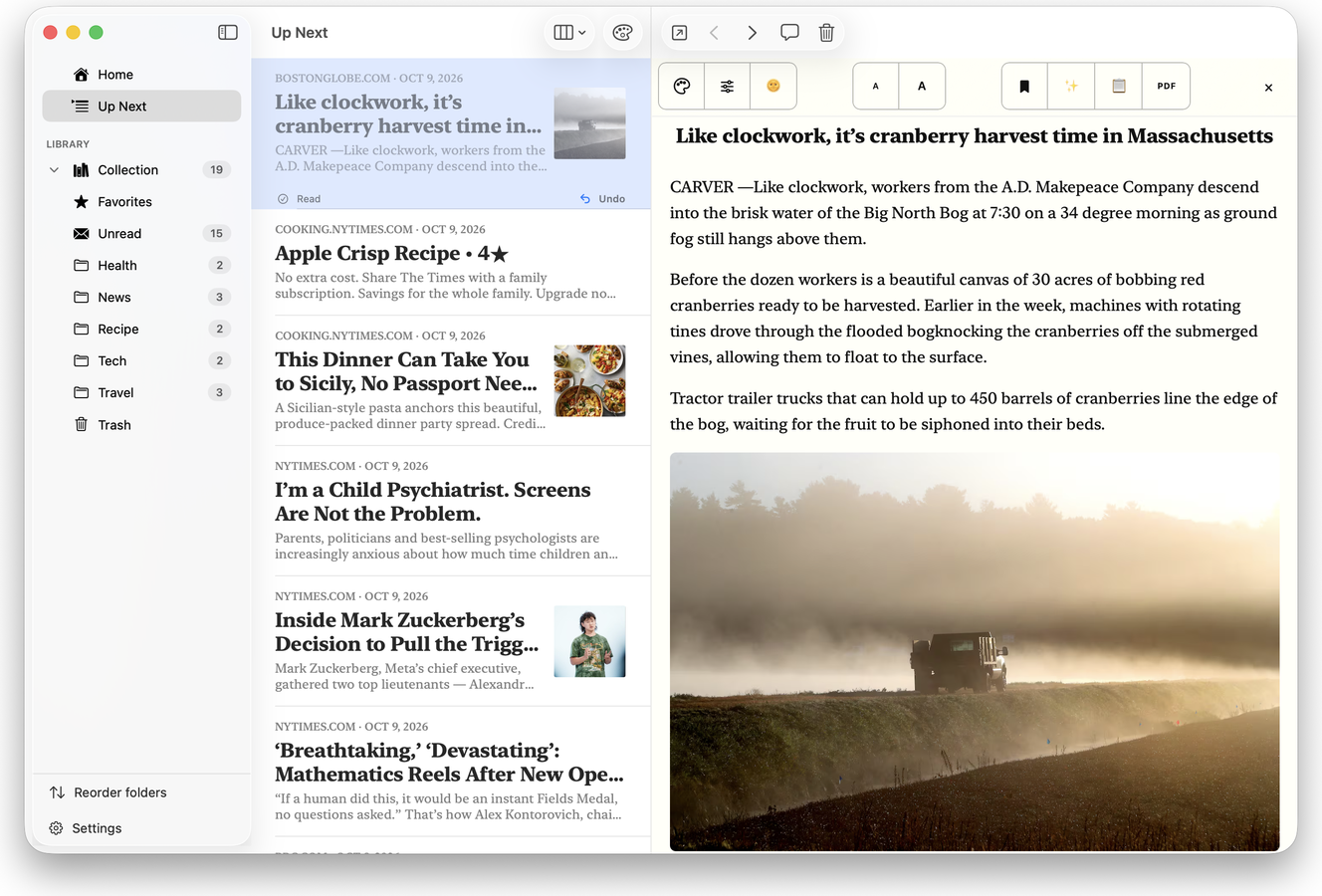
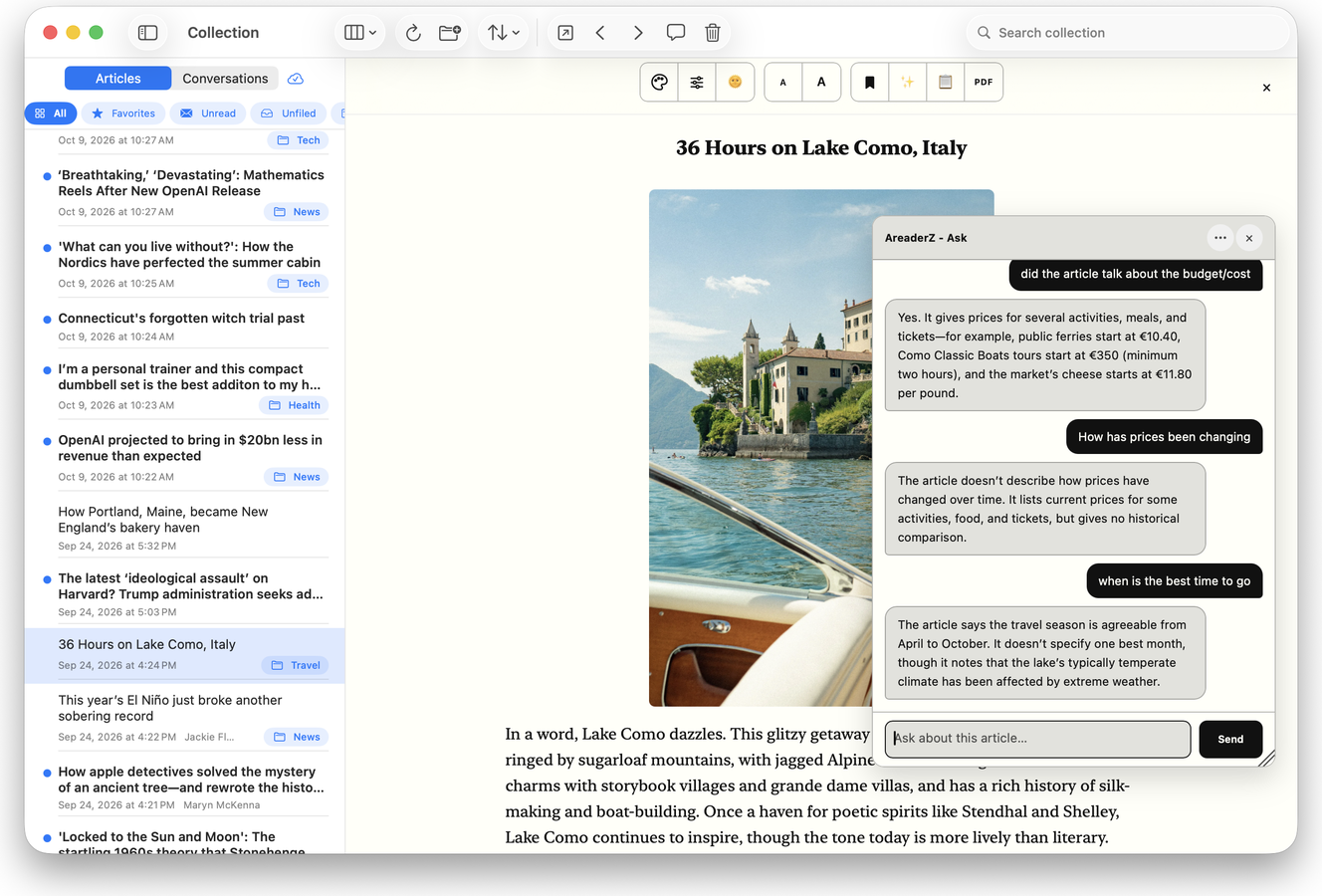
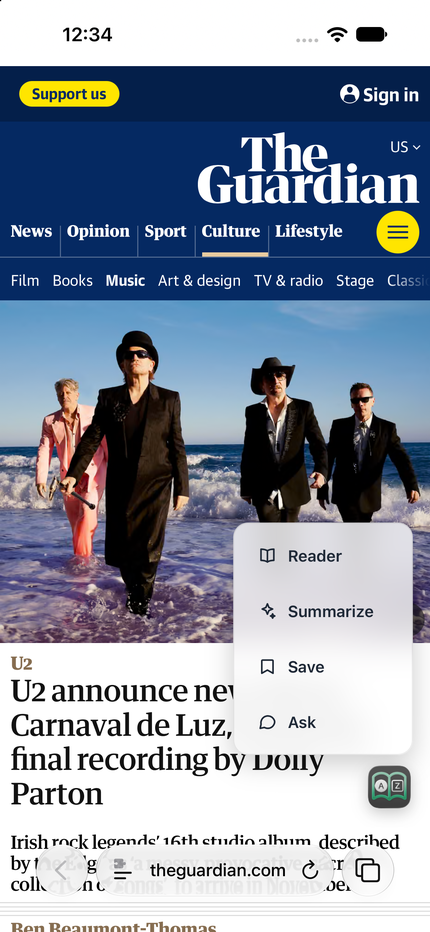
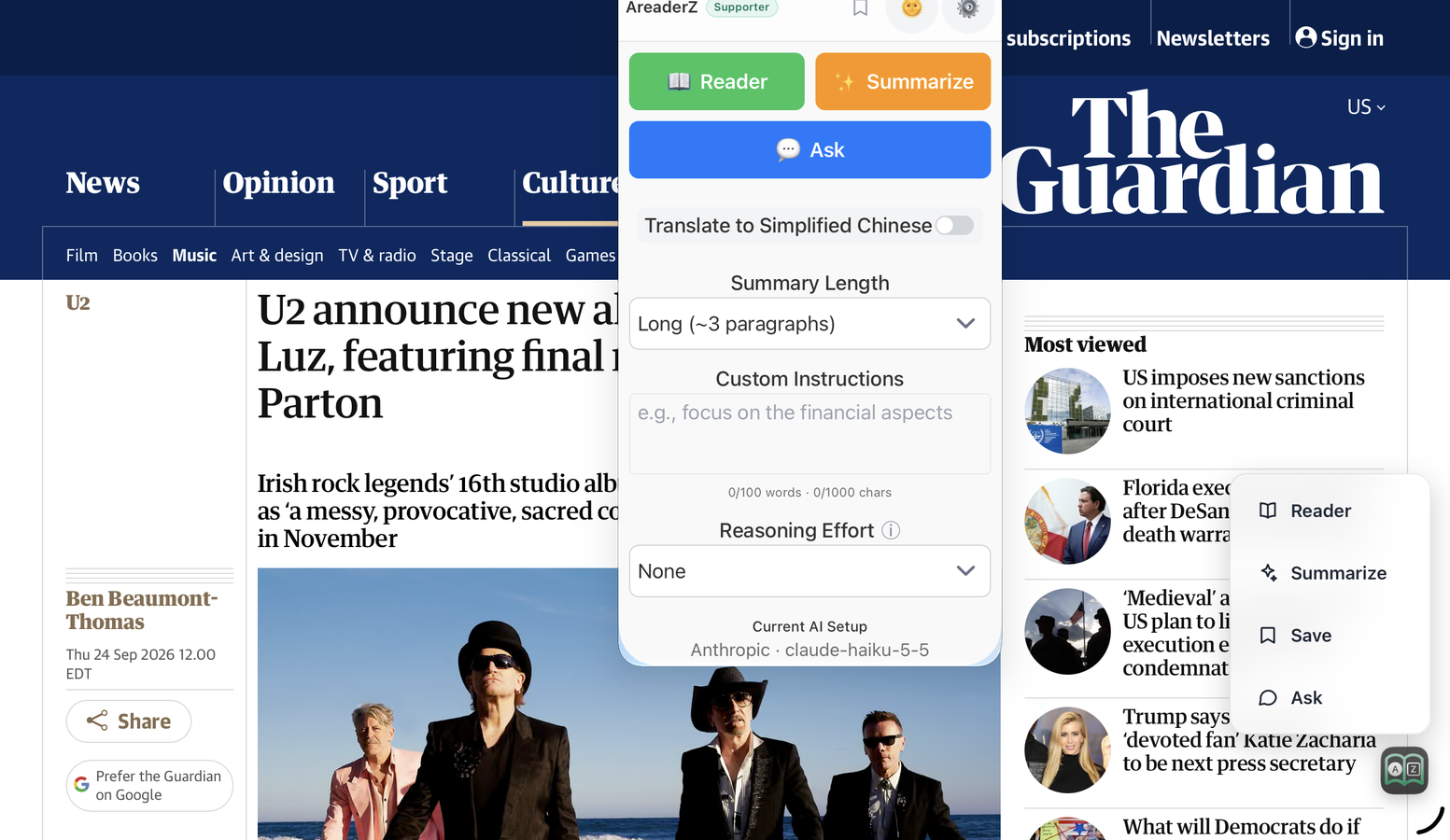
Up Next keeps one article coming after the next, simply swipe to read the next oneReader, Summarize, Ask and Share Clip from the Quick Access button on sites you allow and frequentThe Collection on your Mac, with the article open beside it
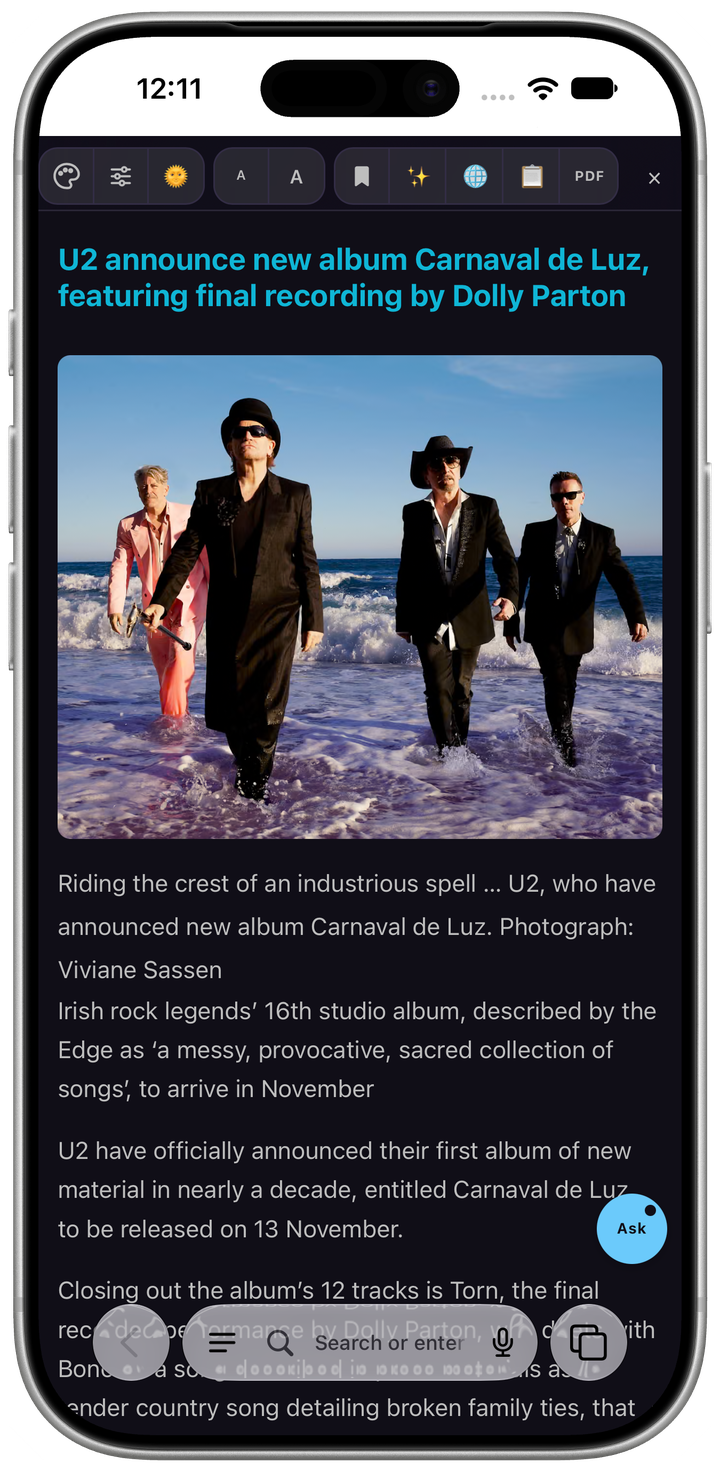
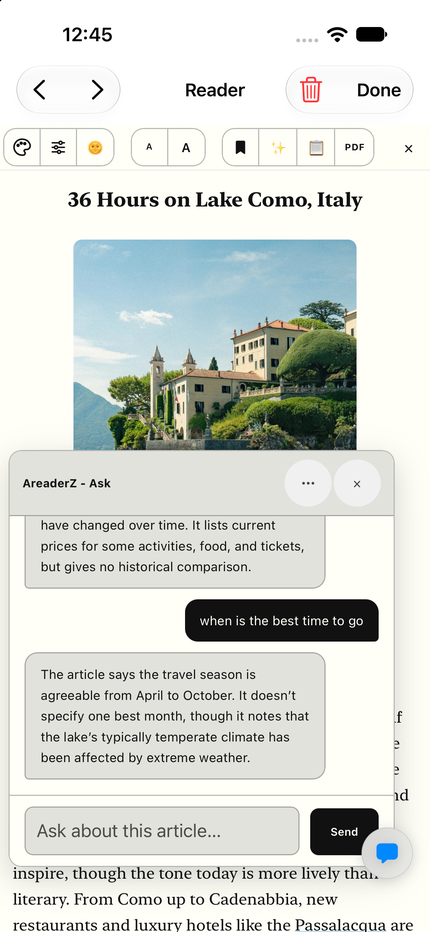
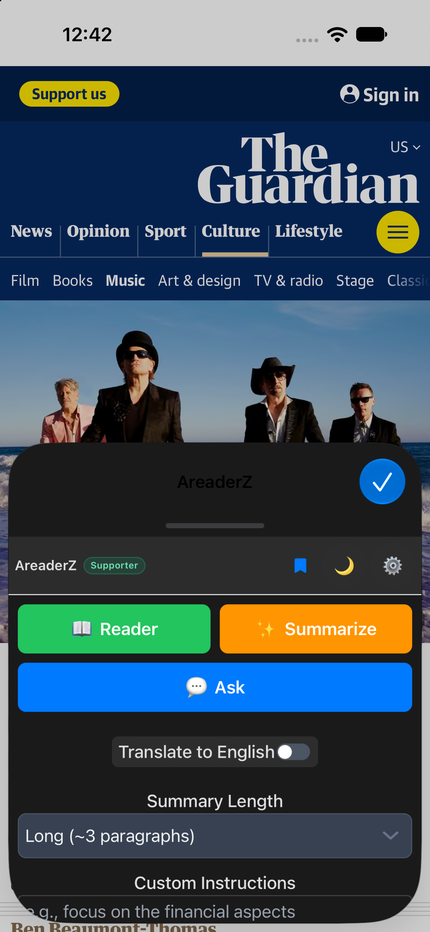
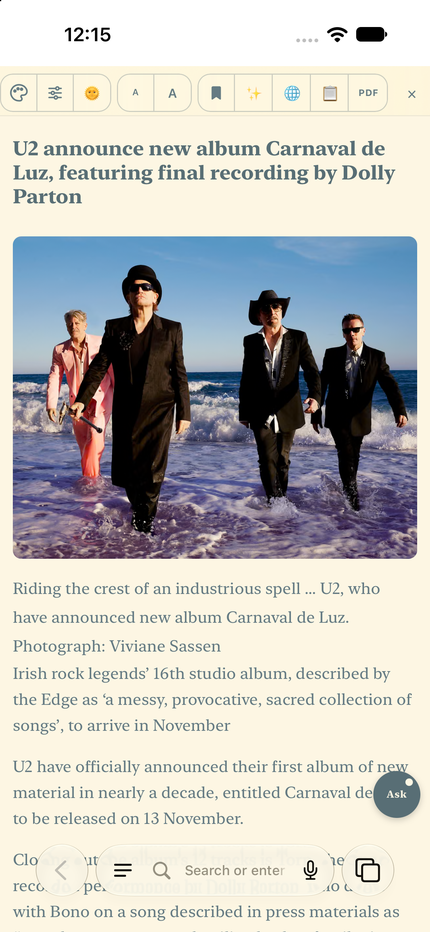
Ask about what you are reading even within Safari on iPhoneExtension accessible on iPhone, or...Instead of getting to the extension through many clicks, pin a Quick Access button
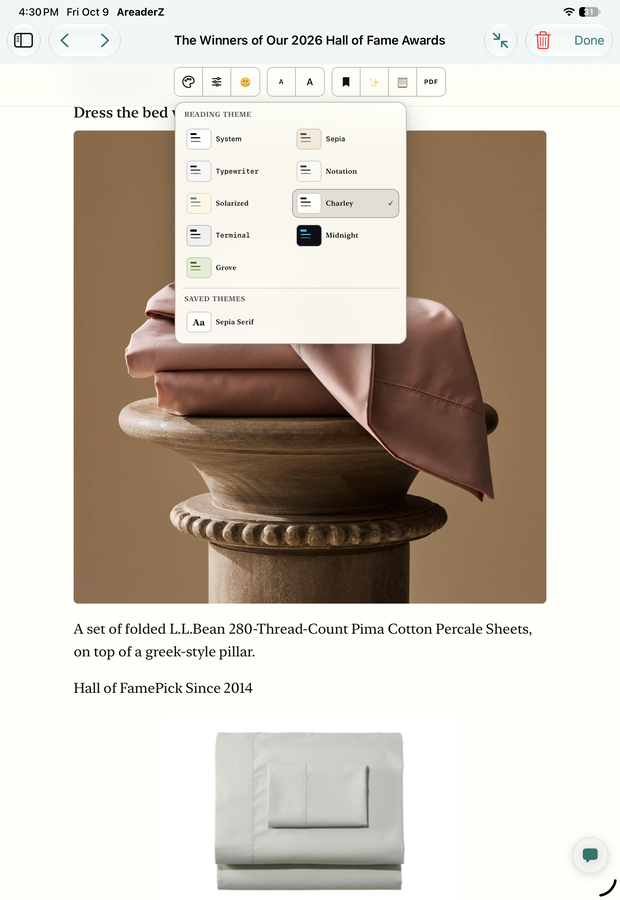
iPad in portrait mode, perfect place for readingPremium Midnight theme for Supporter subscribersLight theme easy on the eyeChange to a theme that suits your mood
Six reasons to consider AreaderZ
Here they are, each one done properly — plus the small conveniences that make them a pleasure to use every day. Open any feature to see the screenshot behind it; everything below is a real screenshot of the shipping app.
01 Read
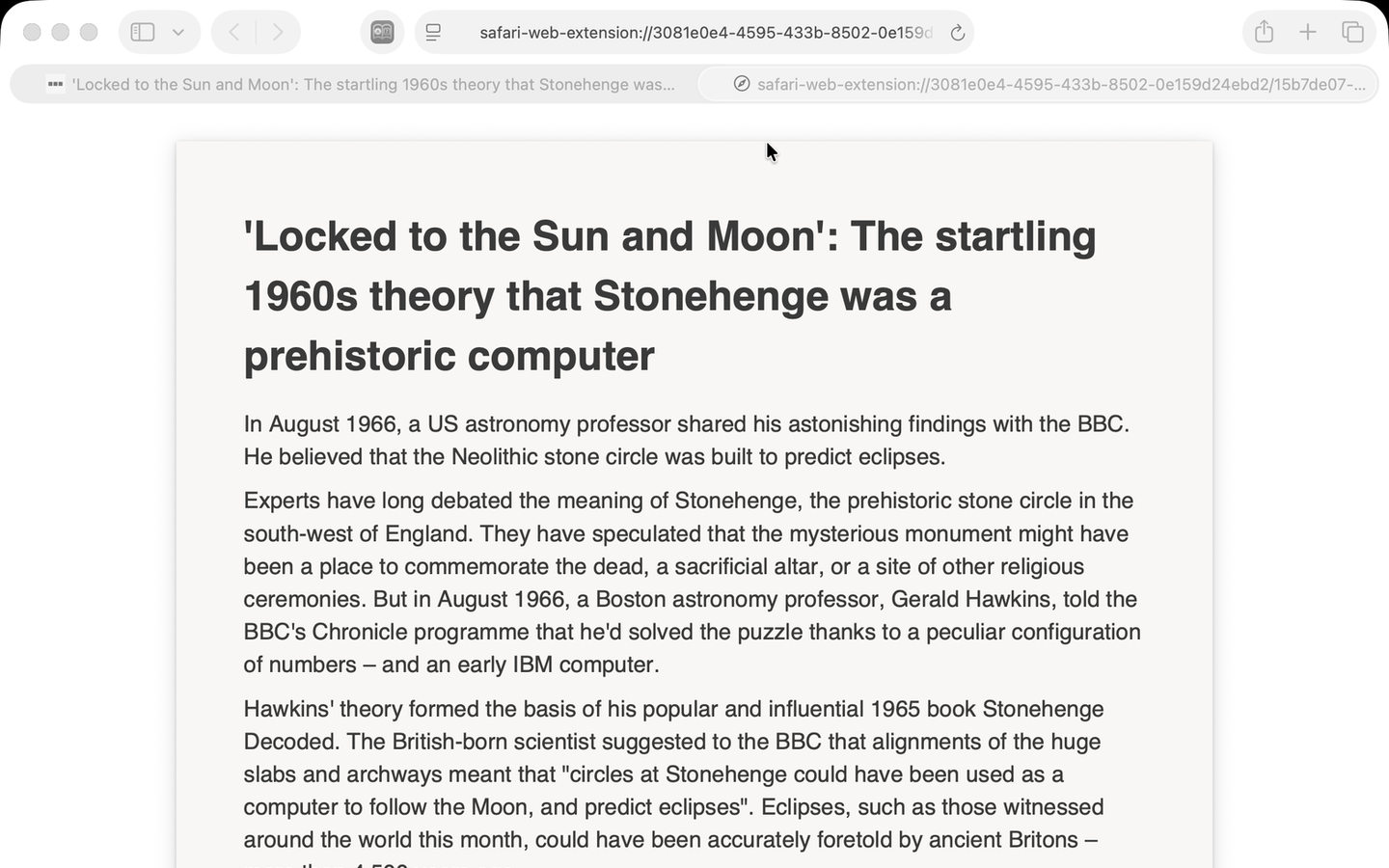
One click hides the ads, pop-ups, cookie banners, auto-playing videos and sidebars. More flexible and tunable to your taste than Safari's built-in Reader mode.
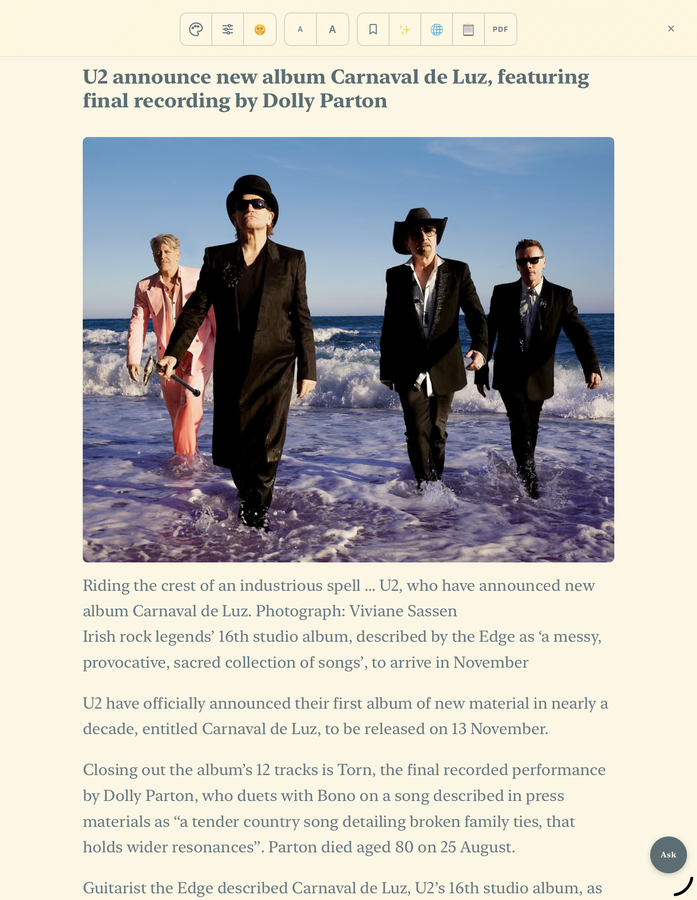
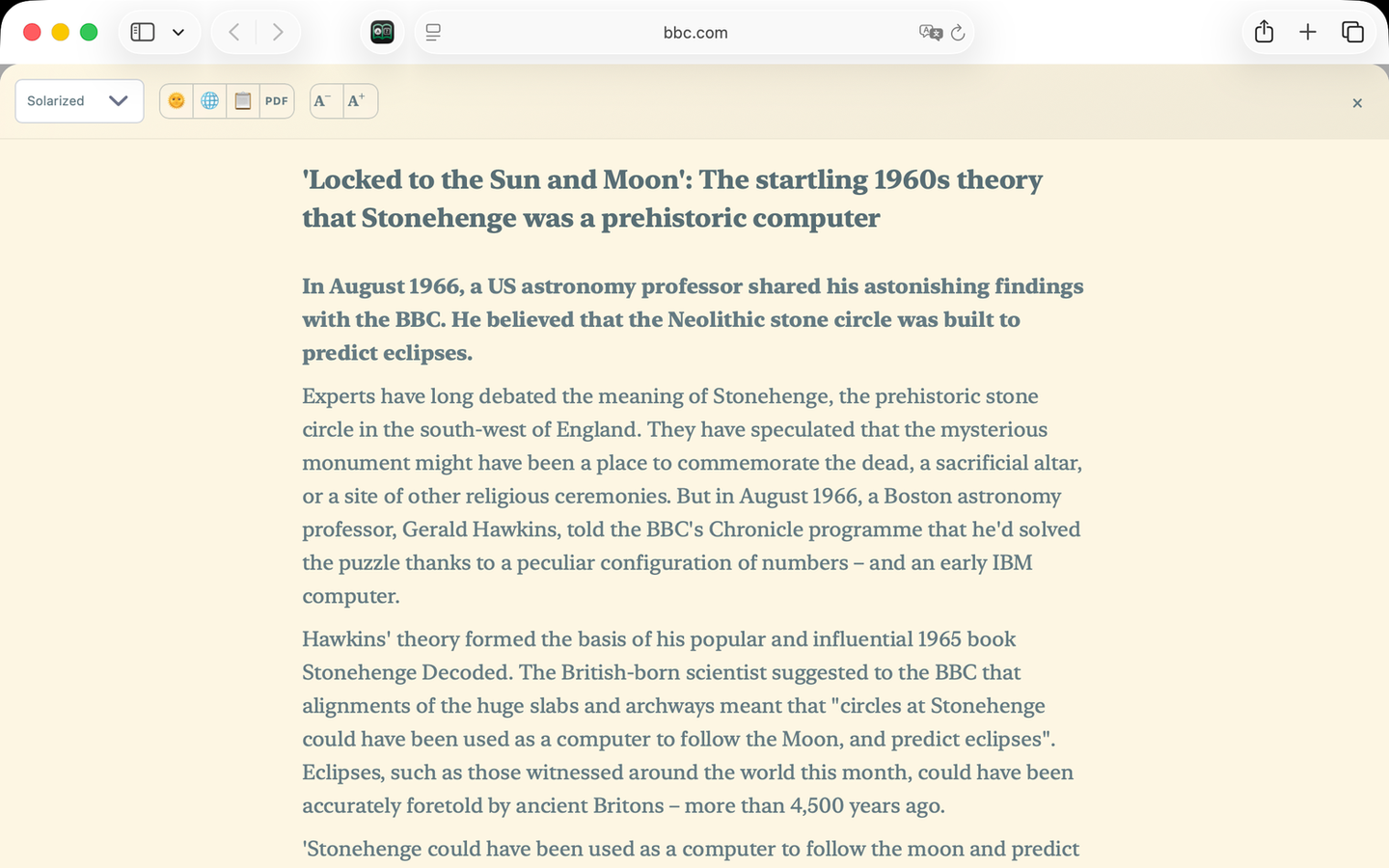
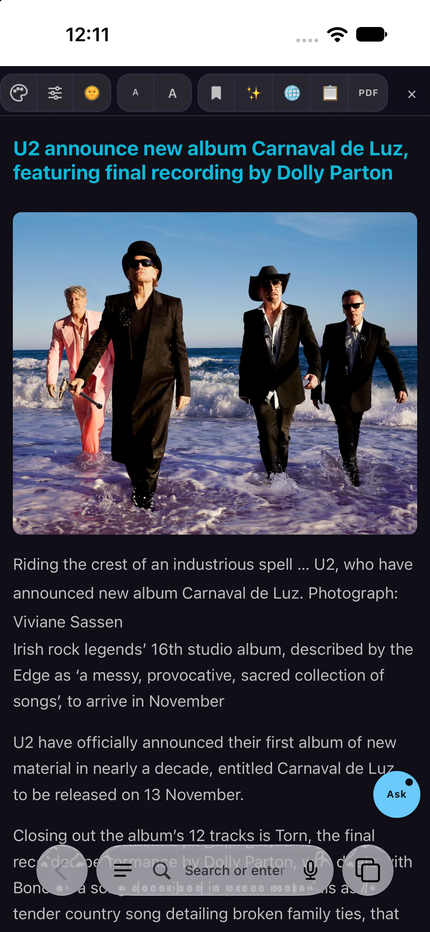
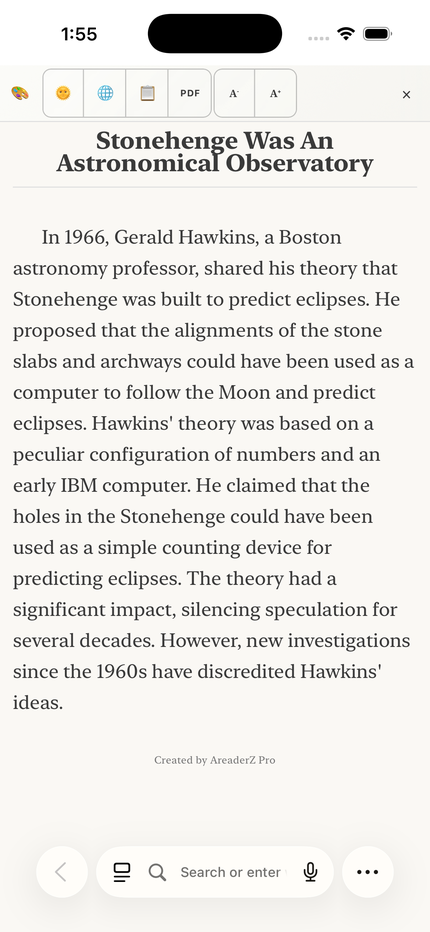
The article, without the clutterOne tap in Safari and the ads, pop-ups, cookie banners, sidebars and autoplaying video are gone. Distraction-free reading.
Solarized theme on a MacThe same article on iPhone
02 Make it yours
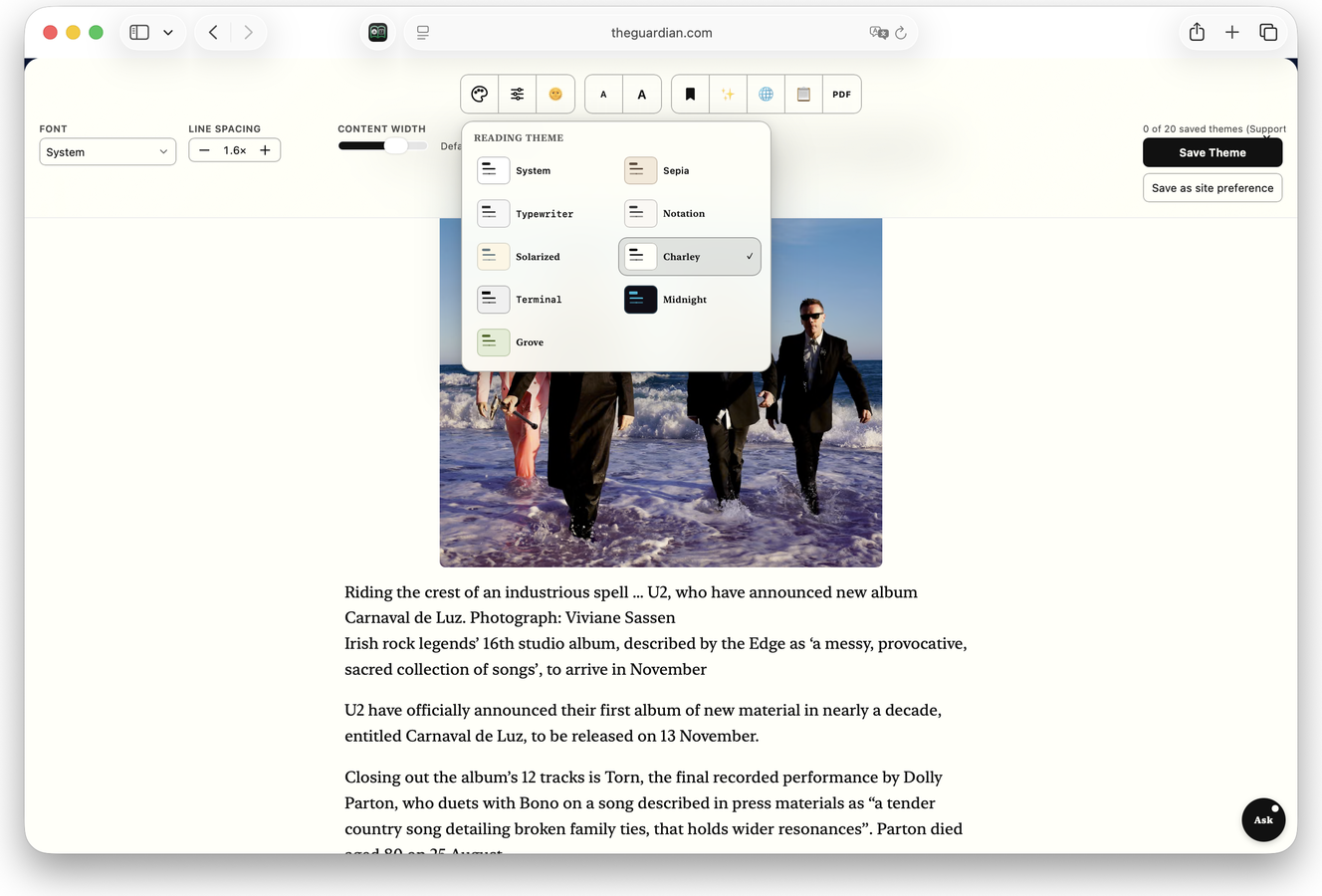
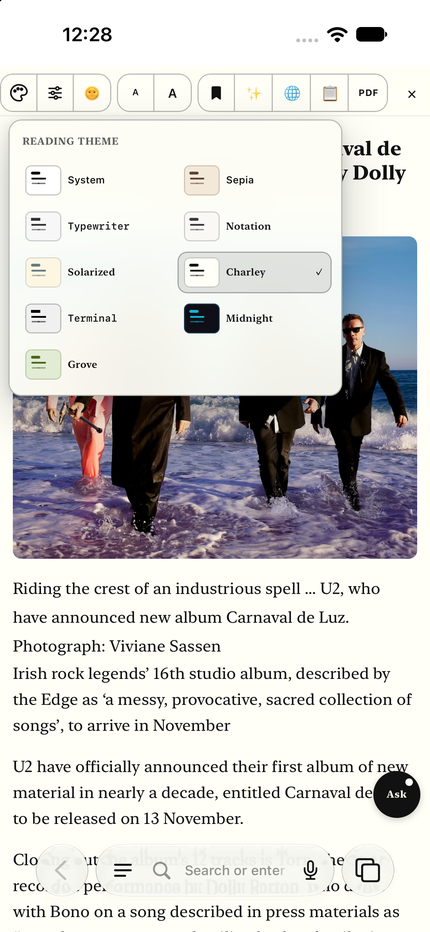
System, Sepia, Solarized, Typewriter, Notation, Charley, Terminal and Book, plus Midnight and Grove on Supporter. Pick the one that suits your eyes — high contrast, a monospaced, a serif, a sans-serif. Every theme ships in a light and a dark version, and the reader can follow your device setting. Adjust line height and the width of the text too. Pro and Supporter can save a theme of their own, and more Supporter themes are coming.
Light and dark modes, pinned or adapt to system settingEvery theme ships in a light and a dark version, and the reader can follow the device setting.
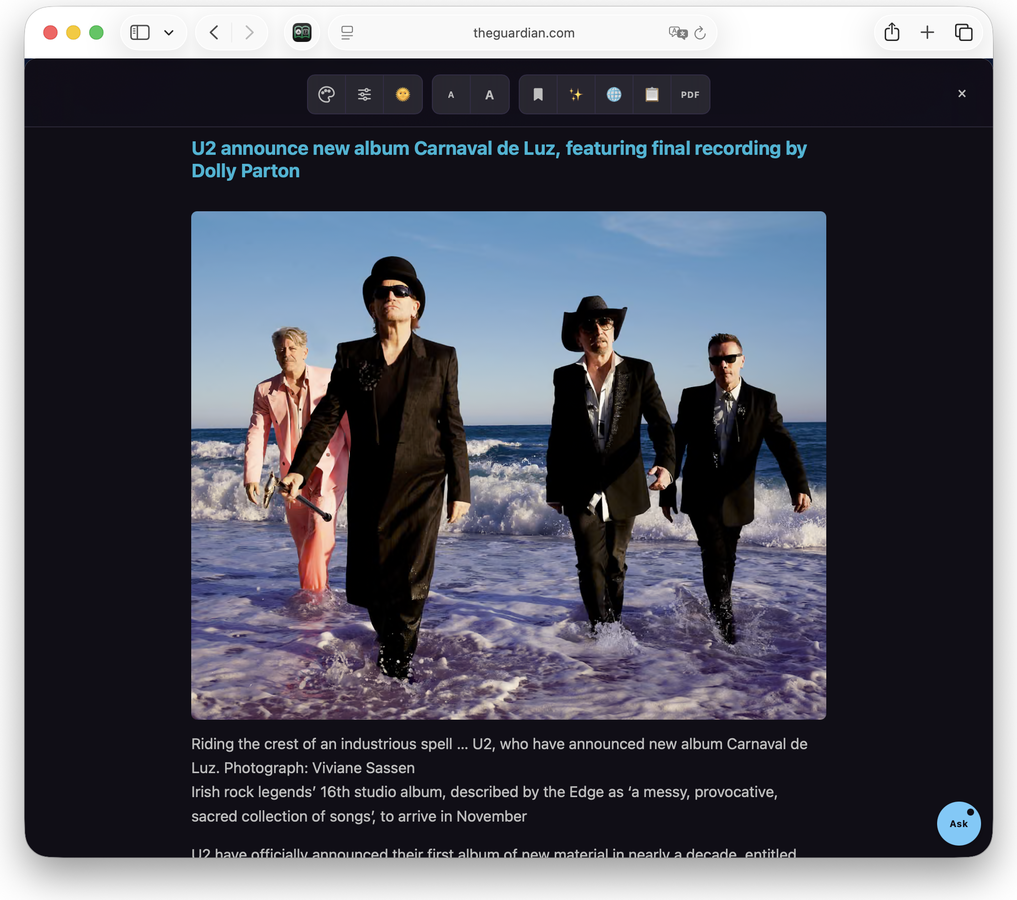
Midnight theme — dark in both modesMidnight, and the Ask button
Customizable reading themesSystem, Sepia and Solarized are free. Pro keeps eight themes, Supporter all ten, and both can save the ones you customize. More themes will be added over time.
Pick a theme from the reader toolbarThe same list on iPhone
System
Follows your Mac or iPhone setting.
System sans · light & dark
System
Sepia
Warm paper, easy on the eyes.
System sans · light & dark
Sepia
Typewriter
Retro, wide spacing.
Monospace · light & dark
Typewriter Pro
Notation
Quiet and book-like, indented paragraphs.
Serif · light & dark
Notation Pro
Solarized
The low-contrast classic.
Serif · light & dark
Solarized
Charley
Very high contrast, black on white.
Serif · light & dark
Charley Pro
Terminal
Monospaced, dark, retro.
Monospace · dark shown
Terminal Pro
Book
A printed page, set in a book face with an indented first line.
Serif · light & dark
Book Pro
Midnight
Calming and deep.
Sans-serif · Dark and darker
Midnight Supporter
Grove
Olive greens, low glare.
Sans-serif · light & dark
Grove Supporter
Prefer the real thing? The screenshots above show the theme picker on a Mac and on iPhone, the Solarized theme on both, and Midnight in the dark, and step 11 of the guide walks through switching themes. A theme with no tag — System, Sepia and Solarized — is free.
03 Understand it
Optional AI, on your terms: a quick summary when there is more to read than there is time, a whole page in another language, or a question put to the article itself.
Summaries
Get the essence fast
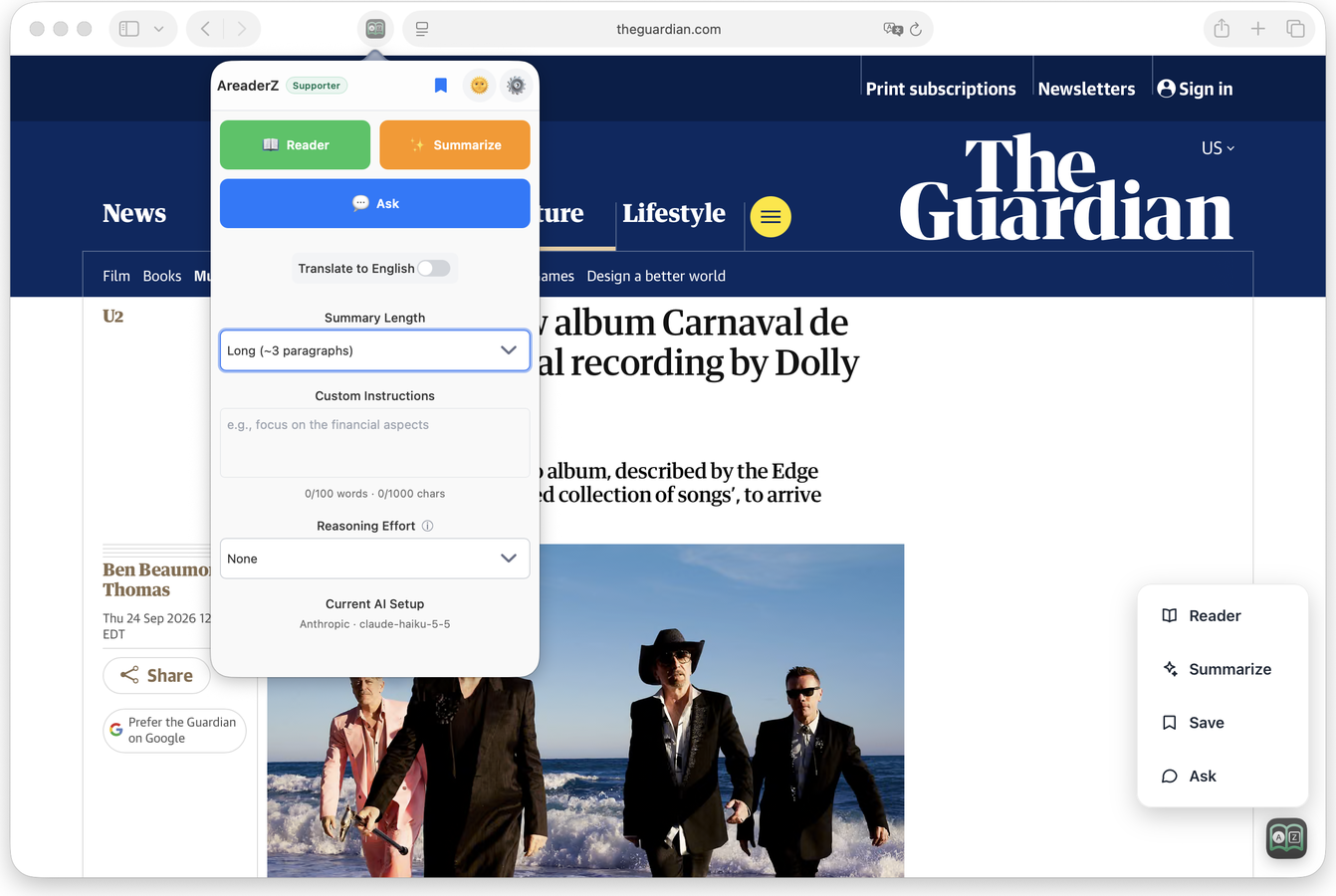
Too much to read? Just want to get to the point? Summarize based on how long you want it: a couple of sentences or a few paragraphs. You can even add custom instruction.
Translation
Whole pages, translated live
Maybe you are brought to a foreign site; maybe you want to share this article to someone who doesn't speak this language. Or maybe you want to read the summary in your native language. No problem!
Note: translation capability limited by the model you choose.
Ask
Ask this article anything
In the reader, a floating Ask button opens a chat panel. Ask follow-up questions about the article you are reading and get streaming, multi-turn answers grounded in that article. The conversation is kept, and you can clear it whenever you like. Ask uses the AI provider you have chosen — a local model or your own API key.
Summaries in the length you wantA couple of sentences or a few paragraphs — your choice — plus custom instructions for how it should read. On device with Apple Intelligence, it works with no internet connection.
Summary on iPhone, on deviceThe panel on iPad
04 Keep it, and take it with you
What you save is yours: file it, queue it, export it, share it privately.
Collection
Keep it, and read it later
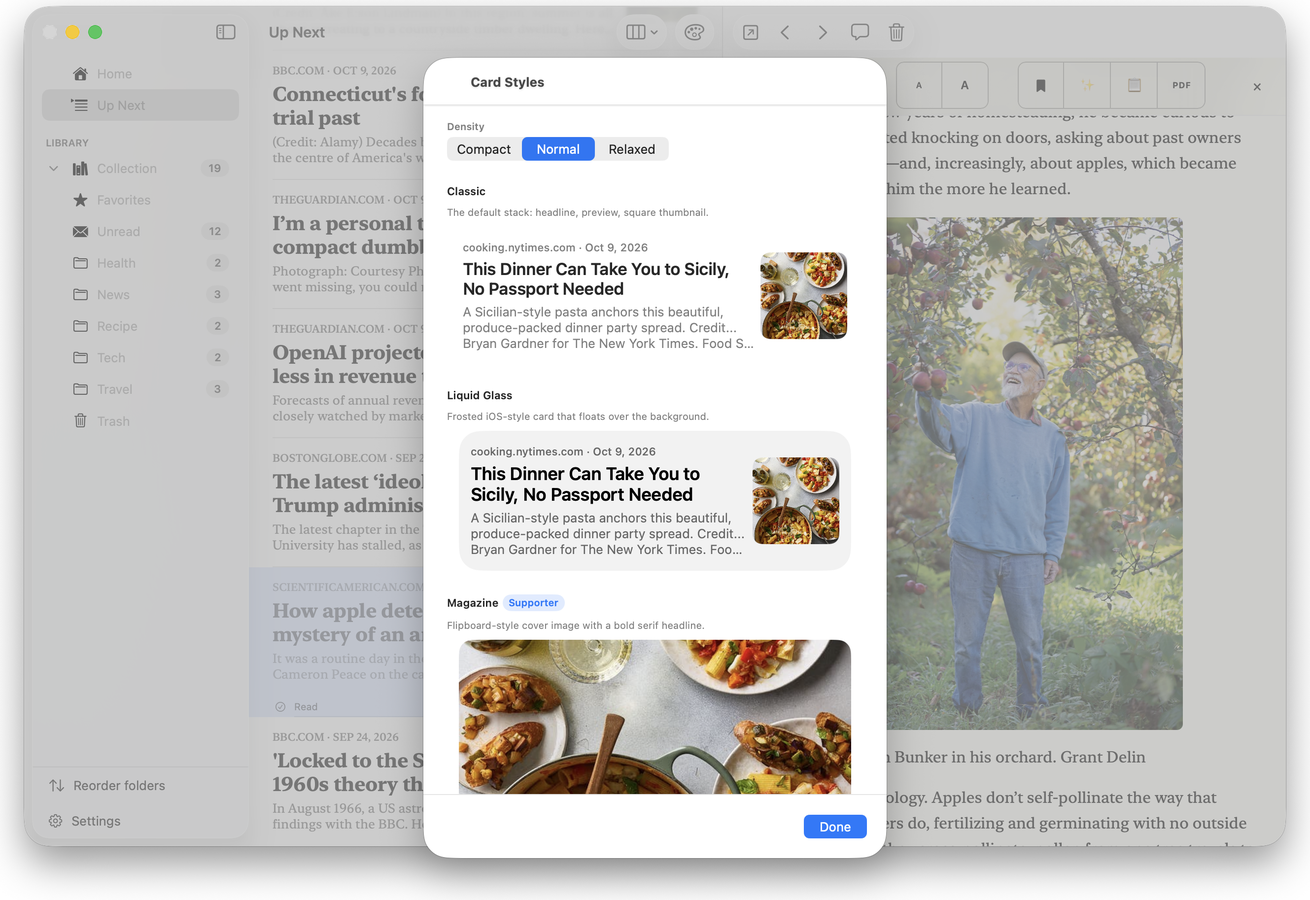
Save an article to your Collection — from the extension, the app, or the iOS share sheet — and file it into folders. Choose a card style for the list, then read straight through with Up Next, which keeps one article after another coming without sending you back to the queue. It also saves as clean Markdown, free for everyone.
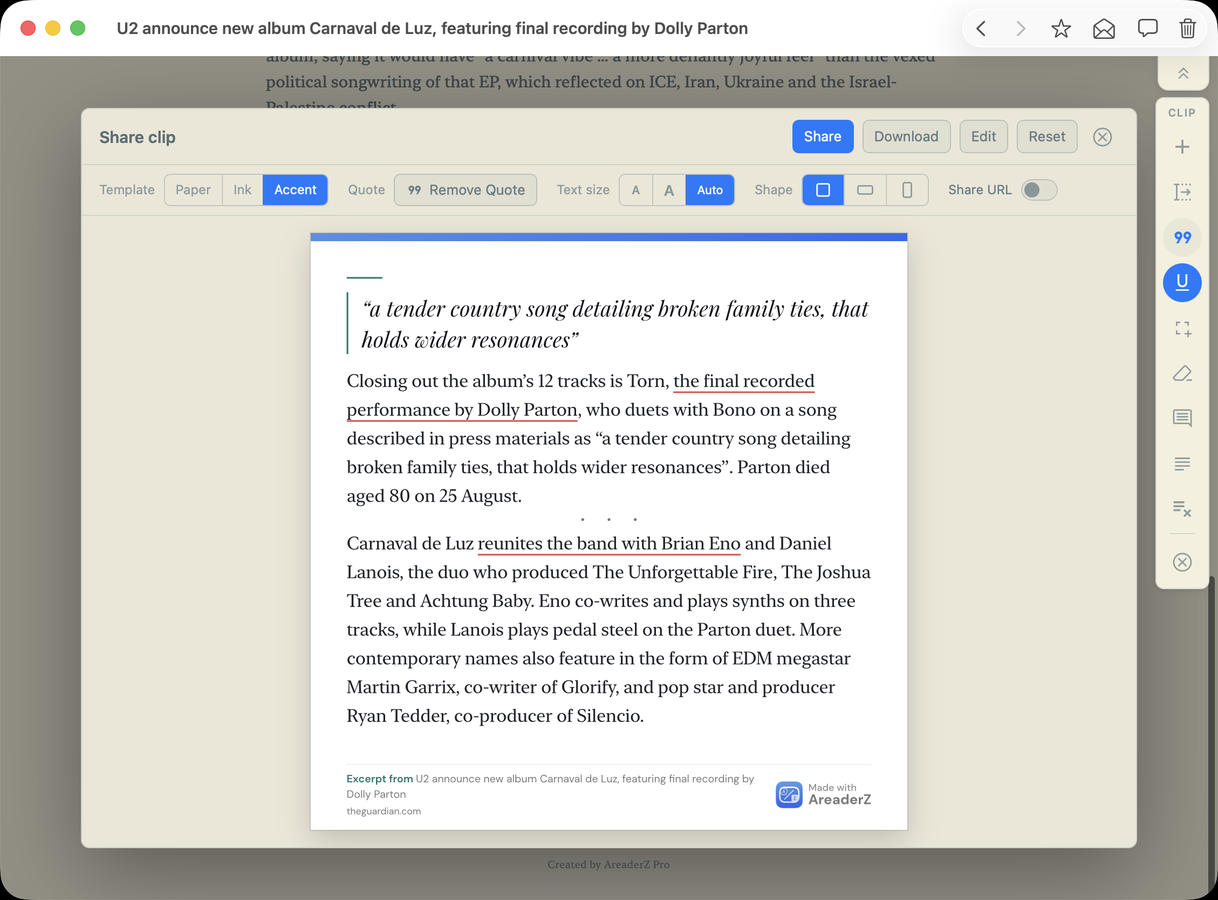
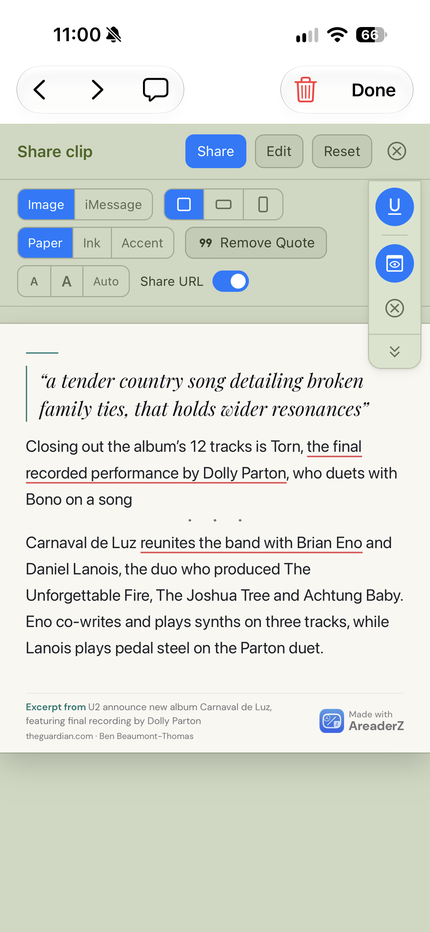
Share Clip
The quote, as a picture
Select a passage and Share Clip sets it on a card you can post or send: paper, ink and accent, the quote pulled out, its own shape and text size. Off to iMessage or wherever you share. It works in the reader on a Mac and on an iPhone.
Save it and read it laterNo time to read it now? Just scanning what might be interesting? Save an article from the extension or with Share Sheet, file it in a folder immediately or add to your Up Next queue.
Up Next — one article after anotherCard styles, including the Supporter onesThe Collection, with the article open beside it
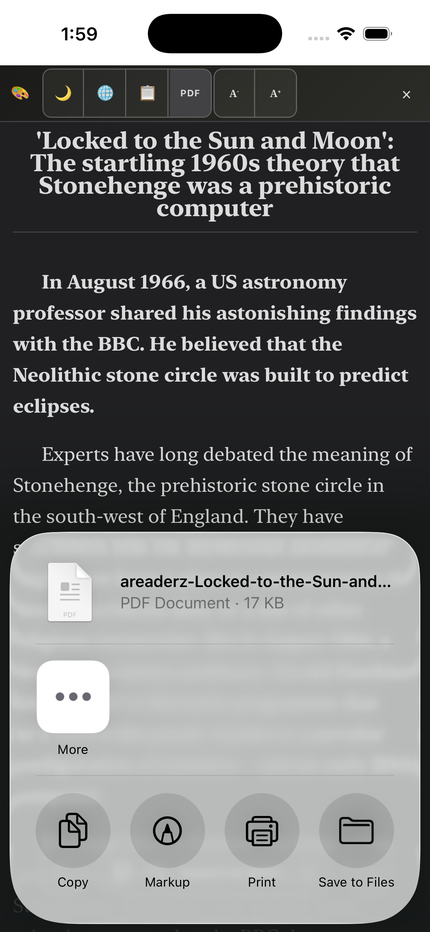
Save a clean PDF, and share it tooFrustrated with the messy PDF printed in browser? AreaderZ creates a clean PDF for you to archive or share: share with iMessage, email, save, or to other apps. Paginated PDF or continuous.
Example of exported article as a one-page PDFOn iPhone, a PDF is generated for you to Share, Save, or Print
Share just the part worth keepingSelect a passage and Share Clip sets it on a card you can post or send — paper, ink and accent, the quote pulled out, its own shape and text size — then straight to iMessage or wherever you share.
Share Clip on a Mac — the quote, the excerpt and the source on one cardThe same clip on iPhone, ready for iMessage
05 Where your AI runs
Most AI reading tools send every page you open to the company's own servers. AreaderZ prioritises local models so you have full control.
1. On your device
With Apple Intelligence, AreaderZ uses Apple's Foundation Model built into your compatible device. Summaries and translations work with no internet connection at all, and nothing you read leaves the device. Add a fallback model if Apple Foundation Model is insufficient for your need.
Best for: privacy and offline reading. No key, fastest setup, no additional cost.
2. On a computer/server you own
If you already run a model on your own machine, simply point AreaderZ at it. We support OpenAI or Anthropic compatible endpoints.
Best for: advanced and pro users, larger models and complete control. Your machine does the work, private and self sufficient.
3. Bring your own API key
Bring an API key from any service providers that speaks the OpenAI-compatible API. You choose how big or expensive the model is.
Best for: the strongest models, asking advanced questions about a long web page.
No middleman
Designed to be full featured without account or middleman server. When you use a third-party provider or a local server, the page content goes to that destination — the one you chose — and nowhere else. Your key is stored securely with Keychain and encrypted, and is never shared with us. See the privacy policy for the specifics.
No account, no server of ours in the path, nothing collected to sell.
No account. There is nothing to sign up for. Install the app, enable the extension, select Apple Intelligence, and enjoy.
No monthly quota. There is no monthly limit. AreaderZ Pro is a one-time purchase, and AreaderZ Supporter is an entirely optional subscription. Neither is required to use the essential functions of the app.
No tracking. No analytics on what you read. We do not collect your browsing history, the articles you open, the text of your summaries, or your API keys. We may collect anonymous analytics on feature utilization in the future using Apple sanctioned tooling.
No data sold or shared. There is no data to sell, because it is not collected in the first place.
Credentials kept secret. Keys are stored in the Apple Keychain and never sent to us. If you want them on your other devices you can opt in to iCloud Keychain sync, per provider; leave it off and the key stays on the device you typed it on.
Everything in the browser, nothing in the middleNo account, no server of ours in the path. The extension talks to the AI you chose, and to nothing else.
macOS pop-upiPhone panel
The small conveniences
Streaming output. Results appear as they are generated, not after a spinner finishes.
Save as Markdown. Keep the current article as clean Markdown with its title, source and saved date — free for everyone — and export it as a .md file from the app's Collection.
Conversation history. Your Ask conversations are kept on your device and can be deleted upon request, and Pro and Supporter can sync them across your devices through your own iCloud.
Multiple models to choose from. Pro users can set up several AI providers and switch at any time. Local or remote, BYOK.
Quick access button on sites you choose. Allow a site once and AreaderZ puts a small floating button on the page for Reader, Summarize, Save, Ask and Share Clip — no trip to the toolbar. Super convenient on iPhone. See how.
Up Next. A read-it-later queue that plays one saved article after another so you can stay in the flow.
Share sheet. Send a link from any app on iPhone or iPad straight into AreaderZ.
Keyboard shortcuts. Bring up the extension with keyboard using Safari's extension settings.
Works on the devices you own
AreaderZ device requirements
Device
Requires
Extension
Mac
macOS 15 or later
Safari Web Extension
iPhone
iOS 18.6 or later
Safari Web Extension
On-device AI additionally requires a device that supports Apple Intelligence, with Apple Intelligence enabled in Settings. Everything else works on the devices above.
A note on hardware requirements
On-device Apple Intelligence requires a compatible device. Local models and bring-your-own-key models need a machine or a provider you can reach. Availability and any costs depend on the service you choose — we do not sell access to any model.
Free is a real reader: three themes, Apple's on-device summaries, 100 saved articles and no account. Pro is one payment that adds the AI extras, the customization and full-text search. Supporter is an optional subscription for unlimited saves, two more themes, early access — and it funds the work.
AreaderZ Free, Pro and Supporter compared
What you get
Free$0
Pro$5.99 once, no trial
Supporter$2.99/mo or $19.99/yr, save 44%
Reader view, light/dark, text size
✓Included
✓Included
✓Included
Reader themes
3 of 10, all previewable
8
All 10
Theme customization and saved themes
–Not included
✓, 10 saved
✓, 20 saved
Collection saves
100
500
Unlimited
Up Next queue
10 live
100 live
Unlimited
Up Next card styles
3
9
11
Open links in Reader
5 a day
Unlimited
Unlimited
iCloud settings sync
✓Included
✓Included
✓Included
iCloud Collection sync
–Not included
✓Included
✓Included
Full-text search
Title, byline, URL
Whole article
Whole article
On-device AI (Apple Intelligence)
✓Included
✓Included
✓Included
AI providers
1
Unlimited
Unlimited
Summary lengths
Medium
All six
All six
Custom instructions
–Not included
✓Included
✓Included
Ask the article
–Not included
✓Included
✓Included
Translation
–Not included
✓Included
✓Included
Auto-summarize on save
–Not included
1 length
Up to 3
PDF export
Clean, paginated
+ continuous layout, PDF themes, image quality
+ Midnight and Grove PDF themes
PDF with highlights
–Not included
–Not included
With highlights
Highlights and notes
–Not included
–Not included
Early access
Remove branding
–Not included
✓Included
✓Included
Supporter badge
–Not included
–Not included
✓Included
Rabbit Holes
Nebula style
Nebula, Aura and Ethereal
Nebula, Aura and Ethereal
Share Clip
✓Included
✓Included
✓Included
No account required
✓Included
✓Included
✓Included
✓ included · – not included. Free keeps three themes — System, Sepia and Solarized — and you can preview any of the others on the article you are reading; Pro keeps eight, Supporter all ten, including Midnight and Grove. Pro is a one-time purchase with no trial. Supporter Monthly and Annual each come with a 2-week free trial for new subscribers, and during the trial you get Supporter access with ten saved themes rather than twenty. Prices are the US App Store's — in other countries they differ.
Planned for Supporter
Apple Intelligence Private Cloud Compute, as an extra private option beside the on-device model.
A Supporter app icon.
We reserve the right to change what each tier includes. The release notes list what changed in each version.